One Codebase, Every Screen: What Rebuilding Calc Pro in React Native Taught Us
How we rebuilt Calc Pro, a calculator with more than 30 million downloads, as a single React Native and TypeScript codebase for iPhone, iPad, Android, and the web, and the lessons that apply to any cross-platform project.
Rewriting a successful app is one of the riskiest decisions a software team can make. The old code works. Users trust it. Every line you replace is a chance to break something that people rely on, in Calc Pro's case, to check a mortgage payment, finish a physics assignment, or price an options trade.
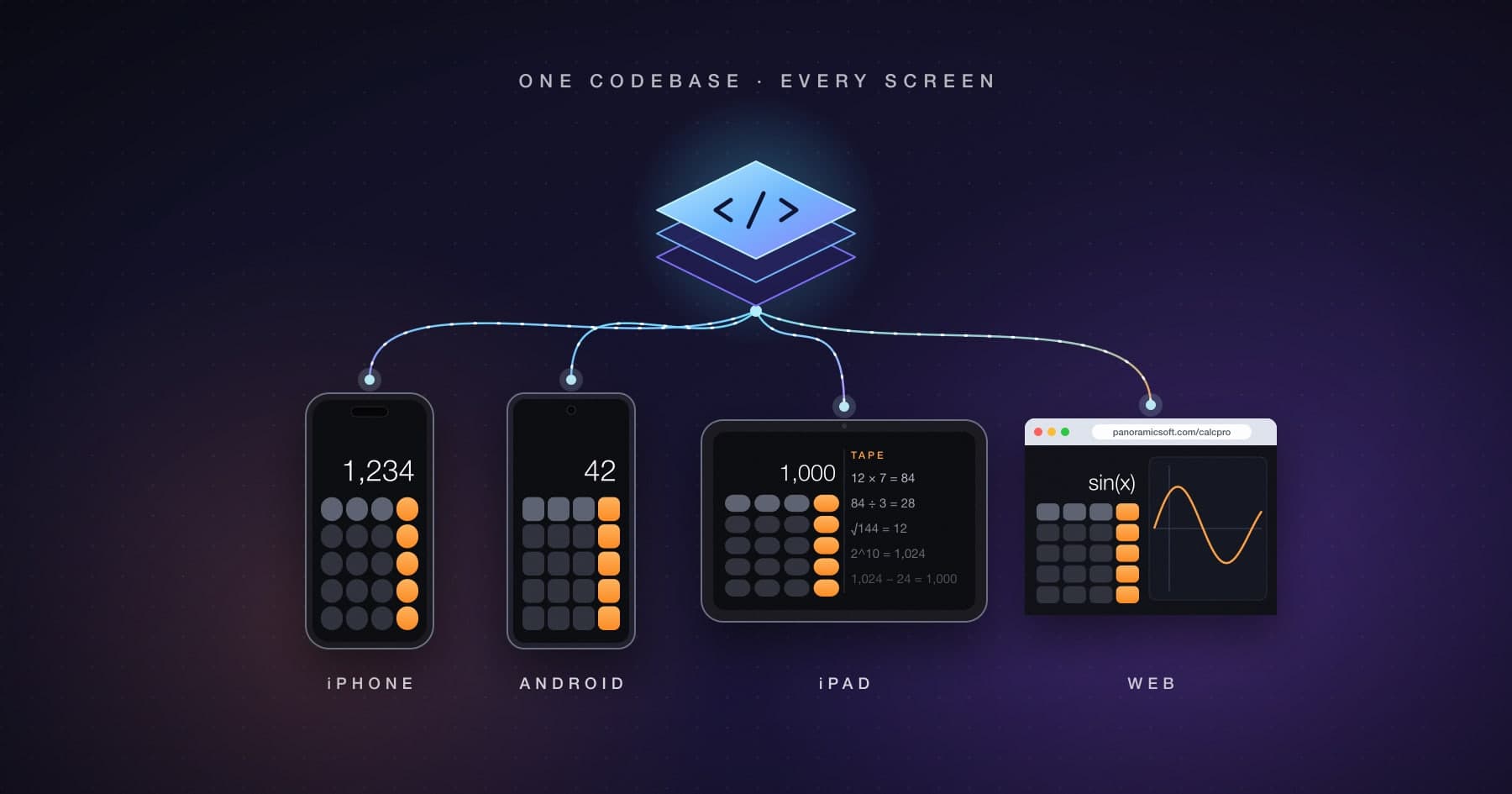
We did it anyway. Calc Pro has been downloaded more than 30 million times, and its previous generation was written in C#. Starting in mid-2025, we rebuilt it as a single React Native and TypeScript codebase that targets iPhone, iPad, Android, and the web. The browser version already runs free at panoramicsoft.com/calcpro, and the same code is headed to the App Store and Google Play as Calc Pro 7.0.
This is what we learned. Most of it applies to any team weighing a cross-platform rebuild.
Why We Rebuilt
The short version: we wanted to stop paying for the same feature more than once.
Calc Pro is not a simple app. It contains ten calculators, 23 financial worksheets, a unit converter with 37 categories, roughly 2,000 scientific constants, full statistics, and a live currency converter, all localized into 12 languages. Maintaining that surface separately for each platform meant every new worksheet, bug fix, and translation had to be done several times. The math also had to stay identical everywhere, because a calculator that gives different answers on different devices has failed at its only job.
React Native let us keep one implementation of all of it. The web target was the deciding factor. Through React Native Web, the same components render in a browser, which let us offer the full calculator free on our website without building and maintaining a separate web app.
How the Code Is Organized
The project is a monorepo with a clear split between code that is shared and code that is not:
packages/sharedholds the calculation engines, settings, localization, and business logic. It has no user interface and no platform code.packages/ui-componentsandpackages/screenshold the interface, written once in React Native.packages/platform-adaptersisolates the handful of places where platforms genuinely differ.apps/mobileis the iOS and Android app, built on React Native 0.85. It is the only place that knows about ads, in-app purchases, and native SDKs.apps/webis the browser build, which bundles the same packages with Vite and React Native Web.
Everything important lives in the packages. The two apps are thin shells around them.
Lesson 1: Port the Behavior, Not Just the Syntax
Translating C# into TypeScript is mostly mechanical. The bugs live in the places where the two languages, or the two runtimes, quietly disagree.
A few examples from our changelog:
- Rounding direction. The fraction display used
Math.floorwhere the C# original truncated toward zero. For positive numbers the two are identical. For negative numbers they are not, so −2.5 rendered as "−3 1/2" instead of "−2 1/2." - Missing lifecycle hooks. Eight financial worksheets had working save and load code that nothing ever called. In the old Windows app, a platform lifecycle hook triggered the save. That hook doesn't exist in React Native, so those worksheets silently reset every time the app launched.
- Edge cases in dates. The financial date calculator rejected February 29 even in leap years.
- Ambiguous inputs. In the tip calculator, typing a percentage was interpreted as a position in the list of presets. Entering a 25 percent tip set 40 percent.
None of these would show up in a quick demo. All of them would have produced wrong answers for real users. What caught them was a large automated test suite, which grew to more than 2,200 tests as the rewrite progressed. For a calculator, tests are the specification.
The takeaway: when you port an app, budget for behavior verification as a first-class task, not as something QA will catch at the end.
Lesson 2: Draw a Hard Line Around Platform Code
React Native resolves files by platform. A component named printReport.ts can have a sibling called printReport.native.ts, and the bundler picks the right one for each target. We use this deliberately and sparingly:
- Reports and PDF export. On phones and tablets, statistics reports become real PDF files handed to the system share sheet. In the browser, the same report opens the browser's own print and save-as-PDF dialog.
- Graphs. The regression plot is generated once as SVG. On native it renders inside a WebView with pan, pinch-zoom, and double-tap gestures. On the web it renders as a plain image.
- Date pickers, which have genuinely different native and web controls.
The rule we follow is that shared screens never import a native SDK directly. Ads, purchases, and native file handling live in the mobile app, and the shared UI talks to them through small interfaces. That keeps the web build free of code it can't run, and it keeps the platform-specific surface small enough to reason about.
Lesson 3: Silent Failures Are the Expensive Ones
The most instructive bug of the rewrite made no noise at all.
Calc Pro plays a soft click when you press a key. The sound manager had originally been written against the browser's audio API, and on the web it worked perfectly. On iPhone and Android it did nothing: no error, no crash, no sound. The browser API it depended on simply doesn't exist in a native app.
The fix was straightforward. The sound manager now accepts a native player, which the mobile app provides at startup. The lesson was bigger than the fix. Code that is shared across platforms can fail differently on each one, and the quietest failures last longest because nobody knows to look for them. We now treat "works on web" and "works on device" as separate claims that each need checking.
Lesson 4: The Last 10 Percent Is Native
Cross-platform frameworks cover the common path beautifully. The edges are where you find out how native your app really is.
PDF export is a good example. Our first approach used a popular printing library, but on iOS it could only show a printer picker. It couldn't save a file, which was the whole point, so we replaced it with a library that generates a real PDF. Then we found that Apple Mail, specifically, dropped the PDF when users shared it by email, while every other app accepted it. The cause was how the file was handed to the share sheet. React Native's built-in share function passes a bare file reference that Mail's compose screen can't resolve. Switching to a dedicated sharing library that presents the file as a properly typed attachment fixed it.
Neither problem was hard once it was understood. Both took real debugging on real devices. When clients ask us how much of a React Native app is "free" on the second platform, this is why we never answer 100 percent.
Lesson 5: The Web Is Its Own Platform
React Native Web is remarkable. It is also a reminder that a browser isn't a phone. Some of what we ran into:
- Cross-origin rules. Calc Pro's crypto prices and currency history come from our own rates service. The native apps call it directly. Browsers, however, refused the responses, because the service didn't send the headers that allow another website to read its data. We solved it by routing those requests through the website itself, so the browser only ever talks to one origin.
- Browser quirks. The calculator runs inside a scaled frame on our site. In Safari, a container set to hide overflow still scrolled sideways by about 300 pixels when focus returned to a button inside the frame. Changing that container's CSS from
overflow: hiddentooverflow: clipstopped it. - Build hygiene. Web bundles are public. Our build configuration injects environment values at compile time, which is convenient and also a way to ship a build machine's settings to every visitor by accident. We now build the web version in a clean, minimal environment, scan the output before publishing, and don't ship source maps.
- Paths. Assets that load from the site root in development need rewriting when the app lives under a subfolder like
/calcpro.
None of these exist on iOS or Android. All of them matter the moment your app runs on the open web.
Lesson 6: Give Every Fact One Source of Truth
A small change we are glad we made: the app's version number is no longer typed into the code by hand. On iPhone and Android, the About screen reads the version from the native build itself. The web build reads it from the iOS project when it compiles, so the browser version always reports the same number as the App Store version.
It sounds minor. But support conversations start with "which version are you on?", and a hand-maintained constant will eventually drift from what actually shipped. The same principle, one source for each fact, applies to prices, feature flags, and store metadata.
What We Would Tell Any Team Considering This
Share the logic first. The biggest win in our rebuild wasn't shared UI. It was one calculation engine, tested once, running everywhere. If your app has meaningful business logic, that alone may justify the approach.
Expect platform work, and plan for it. One codebase greatly reduces duplication. It doesn't eliminate native development, device testing, or store-specific work. Estimate those honestly.
Invest in tests before you invest in features. A rewrite without a strong test suite is a gamble on your users' patience.
Treat the web as a first-class target, or don't ship it. It has its own security model, its own browsers, and its own failure modes.
Know when not to use it. Cross-platform was right for Calc Pro. It wasn't right for our Metronome app, where sample-accurate audio timing and deep integration with iOS are the entire product. We explain why in Building a Metronome That Keeps Perfect Time.
More than a year in, we would make the same decision again. The rewrite cost more than a line-by-line port would have, mostly in testing and in the native edges. In exchange, every feature we add now reaches every screen at once, and every fix is made exactly once. For a product the size of Calc Pro, that trade is not close.
If you are weighing React Native against the alternatives, our React Native vs. Flutter comparison covers where each framework stands in 2026, and our app cost guide covers what a cross-platform build typically costs.
Planning a cross-platform app, or wondering whether a rewrite makes sense for yours? At Panoramic Software, we build and maintain apps used by millions of people. Let's talk about your project.

Calc Pro
4.6 · 4,712 ratingsPut Calc Pro to work
Use it free in your browser right now, or take Calc Pro with you on iPhone and iPad.
Take it with you

 Coming soon
Free with ads · In-app purchase unlocks the full Pro Premium version